The Importance of an Effective Work-From-Home Setup
For many professionals, remote work is now a sustained reality. Although it provides greater flexibility, a poor setup can lead to distractions, discomfort, and decreased productivity. Fortunately, establishing an efficient workspace doesn’t have to break the bank. With a bit of strategic planning and cost-effective solutions, you can cultivate an environment that fosters focus, efficiency, and overall well-being.
Introduction
Creating a productive home office hinges more on how effectively you utilize your space rather than your spending. Numerous individuals face issues like poor posture, messy desks, and constant distractions while working from home. By implementing simple yet deliberate changes, you can turn even a modest area of your home into a motivating workspace. This article outlines practical and economical work-from-home setup tips designed to enhance productivity without exceeding your budget.
Select Your Ideal Workspace Location
Choosing the right spot at home is critical for your work environment.
Workspace selection criteria:
• A quiet area with minimal disturbances
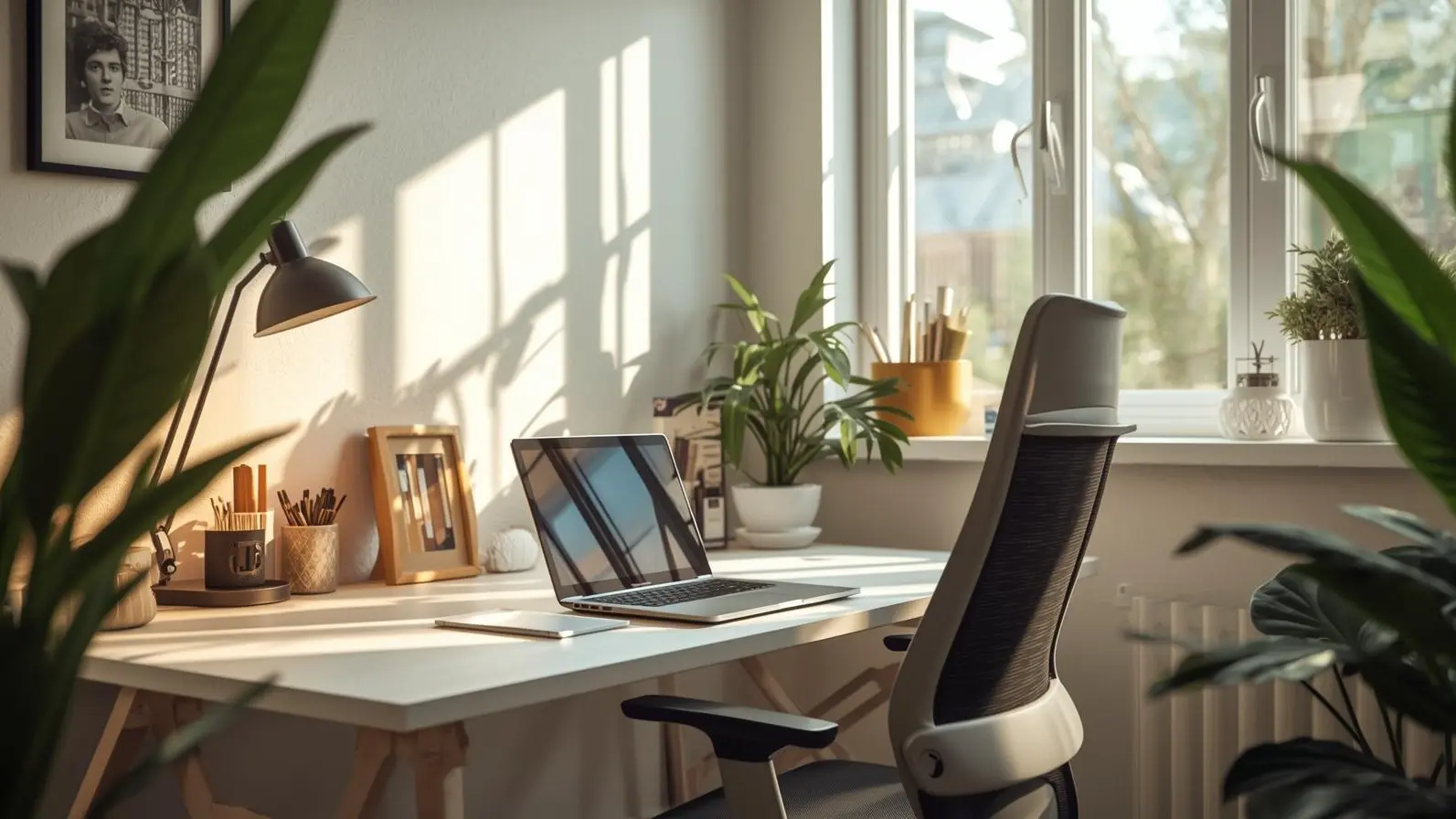
• Availability of natural light
• Sufficient space for a desk and chair
Cost-saving advice:
You don’t necessarily need a designated room; a corner of your living room or bedroom can serve well if consistently used for work.
Having a fixed workspace allows your brain to link that space with productivity and focus.
Opt for a Comfortable and Affordable Chair
Your chair is a key component of your setup.
The significance of chair comfort:
Uncomfortable seating for extended periods may lead to back pain, neck issues, and reduced concentration.
Budget-friendly chair alternatives:
• A dining chair with a supportive cushion
• Adding lumbar support with cushions or rolled towels
• Adjusting seat height with cushions as needed
Proper posture promotes comfort and persistent focus.
Establish a Simple Yet Efficient Desk Arrangement
You don’t require an expensive desk to work efficiently.
Cost-effective desk suggestions:
• Make use of a table or existing study desk
• Repurpose a console table
• Ensure desk height is comfortable for typing
Organizational tips:
• Keep only necessary items on the desk
• Store extras in drawers or containers
• Avoid cluttering the desktop
A tidy and streamlined desk enhances mental clarity by reducing visual distractions.
Optimize Lighting Without Extra Expenses
Good lighting is essential for mood and reducing eye strain.
Lighting optimization strategies:
• Arrange your desk near a window
• Work during daylight when possible
• Use an existing lamp for focused lighting
Lighting tips:
• Avoid harsh overhead lighting
• Ensure light doesn’t create shadows on your screen
• Adjust screen brightness based on the ambient light
Quality lighting enhances alertness and minimizes headaches.
Organize Cables and Tidy Up Tech Clutter
Disorganized cables can make your workspace feel chaotic.
Affordable cable management suggestions:
• Use clips to bundle cables
• Route cables behind your desk
• Label chargers for easier identification
Neat cables contribute to a more professional appearance in your workspace.
Enhance Ergonomics Without Expensive Accessories
Good ergonomics do not necessarily mean splurging on accessories.
Simple ergonomic tweaks:
• Position your monitor at eye level with books
• Keep keyboard and mouse at elbow height
• Ensure your feet rest flat on the floor or a box
These adjustments help alleviate strain on your neck, shoulders, and wrists.
Curb Noise and Distractions Creatively
Noise can be a significant distraction in any home.
Inexpensive ways to control noise:
• Use noise-canceling headphones if you have them
• Play soft music or white noise in the background
• Notify family members about your working hours
Reducing distractions enhances your ability to focus.
Add Budget-Friendly Personal Touches
A personalized workspace aids in motivation.
Affordable personalization ideas:
• Introduce small plants or artificial greenery
• Feature a motivational quote or personal photo
• Utilize a favorite mug as a pen holder
Personal touches make your workspace warm and inviting without excessive spending.
Implement Smart Storage Solutions
Effective storage keeps your workspace organized.
Low-cost storage tips:
• Utilize boxes, baskets, or repurposed containers
• Use existing shelves at home
• Take advantage of vertical spaces for storage
Effective storage minimizes clutter and saves time.
Enhance Internet and Tech Setup
Reliable internet is crucial for effective work.
Improve connection without financial outlay:
• Move the router closer to your desk
• Disconnect unneeded devices
• Schedule large downloads for after work hours
Reliable internet speeds up productivity while minimizing frustrations.
Establish a Daily Work Routine
A disciplined routine structure is just as important as your setup.
Routine-building tips:
• Begin work at the same time each day
• Take brief breaks every hour
• Conclude your day with a clear shutdown routine
A regular routine fosters discipline and efficiency in remote working.
Prioritize Daily Workspace Cleanliness
A clean workspace promotes a productive mindset.
Daily cleaning habits:
• Clear your desk at the end of each day
• Frequently wipe down surfaces
• Keep papers and tools organized
Spending a few minutes on tidying up daily saves time and reduces stress.
Explore Cost-Effective Productivity Tools
Utilizing affordable tools can significantly improve efficiency.
Examples of useful tools:
• Free task management applications
• Digital calendar services
• Note-taking apps
Employing the right tools helps reduce mental overload and enhances task management.
Avoid Pitfalls of Unnecessary Spending
Not all products marketed for home offices are essential.
Common budget mistakes:
• Purchasing trendy items you don’t need
• Over-decorating your workspace
• Upgrading your gear too frequently
Prioritize utility over appearance.
The Long-Term Advantages of a Budget Setup
An intelligently designed setup offers
• Enhanced focus and efficiency
• Improved posture and comfort
• Decreased stress and distractions
• Consistent work performance
Thoughtful, small investments can yield long-term benefits.
Conclusion
Establishing an effective home workspace doesn’t necessitate significant expenditure. By assessing your space wisely, enhancing ergonomics with simple adjustments, maintaining an organized desk, and adhering to a daily routine, you can greatly elevate productivity without overspending. A well-structured, tidy, and welcoming workspace contributes to better focus, healthier practices, and improved work quality. With deliberate planning, your home workspace can be both efficient and economical.
Disclaimer
This article is for informational purposes. The needs of individuals regarding productivity and comfort may differ. Adjust work-from-home setups according to personal health, job requirements, and available spaces.